Latest News

Visual Intelligence
in Every Frame

High-performance AI engine for object detection, scene analysis, and visual understanding. Built with Rust for speed, powered by ONNX Runtime.

New: Model v6.3.0 (E9) - Weighted average anchoring! +22% mAP50 improvement over E8.1 with catastrophic forgetting prevention. View GT Audit Report
# Step 1: Install Artifactiq
$ curl -fsSL https://artifactiq.ai/install.sh | sh
Artifactiq installed to ~/.local/bin/artifactiq
 
# Step 2: Analyze an image (model auto-downloads!)
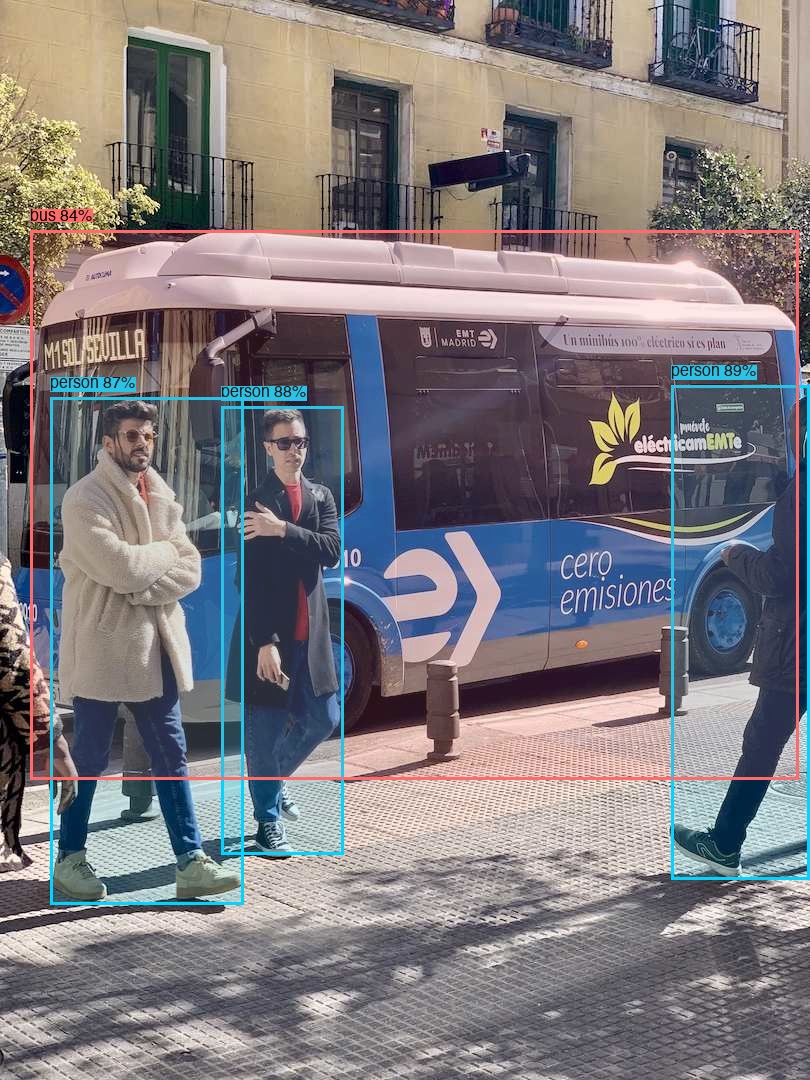
$ artifactiq analyze --input bus.jpg
Downloading artifactiq-v6.3.0.onnx... done
Detected 4 objects:
person (89.3%) | person (88.1%) | person (86.8%) | bus (83.8%)
 
# Subsequent runs use cached model
$ artifactiq analyze --input photo.jpg --output json
{"detections": [...], "processing_time_ms": 42}

Getting Started

From install to analysis in two commands - model auto-downloads on first use

1

Install Artifactiq

Just Works

Install the CLI and start analyzing. The default model auto-downloads on first use - no setup required.

Terminal
$ curl -fsSL https://artifactiq.ai/install.sh | sh

Or download directly from GitHub Releases

2

Analyze Images

Run object detection on your images. The trained Artifactiq model downloads automatically from GitHub releases on first run.

Terminal
# Uses default Artifactiq model (auto-downloads on first use)
$ artifactiq analyze --input photo.jpg

# JSON output for integration
$ artifactiq analyze --input photo.jpg --output json

# Batch process a directory
$ artifactiq analyze --input ./images/ --output json
3

Config-Driven Setup

Optional

Pin model versions and customize settings via config file for reproducible deployments.

Terminal
# Create config file at ~/.config/artifactiq/config.toml
$ artifactiq config --init

# View current config
$ artifactiq config --show
~/.config/artifactiq/config.toml
[model]
version = "v6.3.0"        # Pin to specific version
update_policy = "check"   # manual, check, or auto

[engine]
min_confidence = 0.5
device = "auto"           # auto, cpu, cuda, mps
4

Use Other Models

Optional

Override the default model with any ONNX file, Artifactiq version, or Axon-managed models.

Terminal
# Use specific Artifactiq model version
$ artifactiq analyze --input photo.jpg --model artifactiq:v6.3.0

# Use YOLOv8 via Axon (requires axon install)
$ artifactiq analyze --input photo.jpg --model yolov8n

# Use custom ONNX file
$ artifactiq analyze --input photo.jpg --model ./custom-model.onnx

Live Detection Gallery

Real object detection results from YOLOv8 with bounding boxes

📁
Batch Processing NEW in v1.0.0-alpha.14

Process entire directories of images with a single command. Now with WebP support!

12 images
92ms total · 7ms avg (CoreML)
Model Showdown E9 (v6.3.0) NEW +22% vs E8.1 Stock YOLOv8n 📊 Full Comparison →

E9 (v6.3.0) uses weighted average anchoring to prevent catastrophic forgetting. +22% mAP50 over E8.1 baseline. View GT Audit Report →

Model mAP50 Recall Training Notes
E9 (v6.3.0) 4.03% 4.1% 46 shards x 10 epochs + wavg retry +22% mAP50 vs E8.1
E2 (baseline) 0.032% - 22 shards x 1 epoch Previous best before E8
E6 (regressed) 0.017% - 46 shards x 1 epoch 1 epoch per shard = regression
Stock YOLOv8n 0.22% 1.12% COCO pretrained 80 classes, no domain fit
mAP50 Comparison (Artifactiq Models)
E8
0.145% (4.6x)
E2
0.032%
E6
0.017%
Key Training Insight
E8 (3 epochs/shard) = 4.6x improvement
E6 (1 epoch/shard) = regression
3+ epochs per shard is critical!
E9 (v6.3.0) is now the default model - auto-downloads on first use Full E8 training report →

700 Image Validation Comparison

See how Stock YOLOv8n vs Artifactiq E8 perform on real validation data with ground truth labels.

14.7%
Stock Precision
17.3%
E8 Precision
51.2%
Stock Recall
0.4%
E8 Recall*

*E8 has calibrated confidence scores (21.6% avg). Retry training for failed shards in progress.

View Full Comparison (700 Images) →

Real-Time Object Detection

Artifactiq uses YOLOv8 models to detect 80+ object classes with high accuracy. The detection pipeline is optimized for both speed and precision.

  • 80+ object classes - People, vehicles, animals, household items, and more
  • Configurable confidence - Filter results by confidence threshold
  • Bounding boxes - Get precise coordinates for each detection
  • JSON export - Easy integration with your applications
JSON Output (--output json)
{
  "detections": [
    {"class": "person", "confidence": 0.893},
    {"class": "person", "confidence": 0.881},
    {"class": "person", "confidence": 0.868},
    {"class": "bus", "confidence": 0.838}
  ],
  "processing_time_ms": 42
}

Custom Model Training

v1.1.0 trained with Apple Create ML - 101K iterations on M4 Max GPU

Training Results - artifactiq-v1.1.0 NEW
Loss Improvement Over 101K Iterations -69%
Start
15.34
50K
5.15
82K
4.12
101K
4.71
101K
Iterations
~6h
Training (M4 GPU)
31MB
CoreML Model
Dataset: Open Images (Create ML format)
18,000 images
103,835 annotations
39 classes
Training Metrics
Final Loss 4.71
Best Loss 4.12
Loss Reduction 69.3%
Input Size 416x416

Native Apple Silicon Training

The v1.1.0 model was trained using Apple Create ML on M4 Max, leveraging the 40-core GPU for accelerated training. Perfect for iOS/macOS deployment.

  • 39 merchandise classes - People, clothing, vehicles, accessories, electronics
  • Apple Create ML - Native Object Detection architecture optimized for Apple Silicon
  • CoreML output - Direct deployment to iOS/macOS apps without conversion
  • M4 Max GPU - Full GPU acceleration with 128GB unified memory
Platform Note

v1.1.0 custom model is currently CoreML-only (macOS/iOS). Cross-platform ONNX export is on the roadmap. Use --coreml flag with the CLI on Apple Silicon.

Using the CoreML Model
# CLI with --coreml flag (macOS)
$ artifactiq analyze --input photos/ --coreml

# Or Python with coremltools
$ pip install coremltools pillow
model = ct.models.MLModel("ArtifactiqV1.1.mlmodel")
result = model.predict({"imagePath": img})

View v1.1.0 release notes →

Built for Performance

Enterprise-grade visual AI capabilities with minimal resource footprint

🎯

Object Detection

YOLOv8-powered detection with support for 80+ object classes. Real-time performance with configurable confidence thresholds.

🖼️

Scene Analysis

CLIP-based scene understanding for context-aware image analysis. Tourism, retail, and general scene classification.

ONNX Runtime

Hardware-accelerated inference with ONNX Runtime. CPU, GPU, and Apple Silicon optimizations out of the box.

🦀

Rust Performance

Written in Rust for memory safety and blazing-fast performance. Zero garbage collection pauses.

📦

Axon Integration

Seamless model management with mlOS Axon. Auto-download and cache YOLOv8 variants and custom ONNX models.

🔧

CLI & Library

Powerful command-line interface with JSON output. Also available as a Rust library for integration.

Use Cases

Visual intelligence for every application

🛍️

Retail & E-commerce

Identify products, brands, and merchandise in images. Perfect for catalog management and visual search.

🏛️

Tourism & Travel

Recognize landmarks, attractions, and points of interest. Build smart travel and tourism applications.

🔒

Security & Surveillance

Real-time object and person detection for security monitoring and automated alerting systems.

🤖

Automation & Robotics

Visual perception for autonomous systems. Identify objects, obstacles, and navigation targets.

Open Source Tools

We build and maintain tools for the ML community

mlgpu

MIT

Apple Silicon GPU monitor for ML training. Track GPU utilization, memory, and training progress in real-time. Supports Create ML, PyTorch, and HuggingFace.

Platform: Apple Silicon (M1-M4)
Frameworks: Create ML, PyTorch, HuggingFace
Install
$ curl -fsSL https://raw.githubusercontent.com/artifactiq/mlgpu/main/install.sh | bash
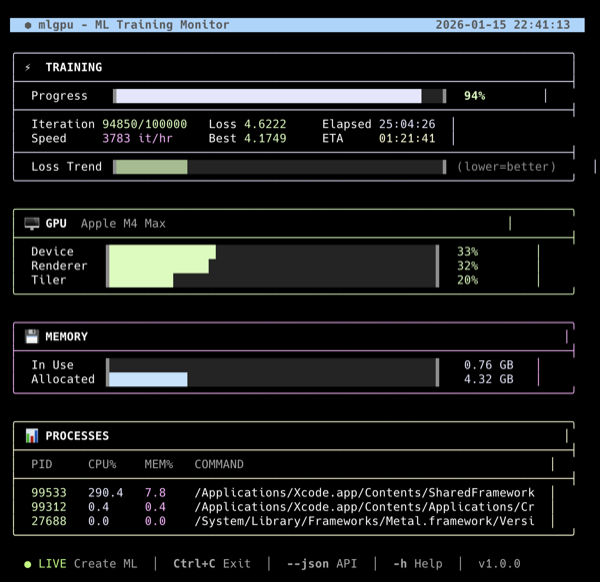
mlgpu - Apple Silicon GPU Monitor for ML Training

Live training monitor on Apple M4 Max

gt-audit

MIT

Fast ground truth label validation for object detection datasets. Detect class mismatches, missing labels, and spurious annotations using YOLO model inference.

Platform: Linux, macOS
Format: YOLO, ONNX
Install
$ curl -fsSL https://raw.githubusercontent.com/ARTIFACTIQ/gt-audit/main/install.sh | bash
$ gt-audit validate ./dataset --model model.onnx
gt-audit - Ground Truth Validator
Loading dataset: ./dataset
Classes: 39 | Images: 700
Auditing 700 images...
AUDIT SUMMARY
Images with issues: 642
Total issues: 1,905
By severity:
High: 148
Medium: 68
Low: 1,689

CLI output showing audit summary

claude-remote-bridge

MIT NEW

Bidirectional remote communication with Claude Code via ntfy.sh. Send commands, query training status, and receive updates from your phone. Built for long-running AI tasks.

Platform: Linux, macOS
Transport: ntfy.sh (zero config)
Install
$ curl -fsSL https://raw.githubusercontent.com/ARTIFACTIQ/claude-remote-bridge/master/install.sh | bash
$ crb start my-topic
Bridge started (PID: 54358)
Polling ntfy.sh every 5s...
 
INCOMING from phone:
> q: training
Epoch 5/10 - 78% complete
Box: 1.82 | Cls: 2.01 | DFL: 1.23
INCOMING from phone:
> proceed with release
=== 1 new message(s) ===
[14:30] proceed with release

Bridge receiving queries and commands from phone
Ready to Get Started?

Install Artifactiq and start analyzing - the model downloads automatically

Quick Start
# Install Artifactiq
$ curl -fsSL https://artifactiq.ai/install.sh | sh

# Analyze an image (model auto-downloads on first use)
$ artifactiq analyze --input photo.jpg

Raw Inference Output: Stock YOLOv8n vs Artifactiq v6.2.0 (E8.2)

v6.2.0 (E8.2) = Production Model - 74x Improvement!

E8 trained with optimized shard-based approach: 46 shards × 3 epochs on 68K images.
mAP50: 0.145% (4.6x better than E2 baseline) · Recall: 4.2% · Full report →

Artifactiq Schema: 39 Domain-Specific Classes

Artifactiq uses OpenImages-based 39-class schema for fashion/merchandise detection:
Apparel (8): Clothing, Dress, Suit, Jacket, Coat, Jeans, Shorts, Skirt
Footwear (4): Footwear, Boot, High heels, Sandal
Accessories (7): Watch, Sunglasses, Hat, Tie, Belt, Scarf, Glasses
Bags (5): Backpack, Handbag, Suitcase, Briefcase, Luggage and bags
Stock YOLOv8n (COCO) has limited overlap with these fashion classes.

Stock YOLOv8n (COCO)
80 generic classes · Fully trained
Has: person, backpack, car, bench, chair, handbag, cup...
Missing: Clothing, Shorts, Dress, Jacket, Footwear
Artifactiq v6.2.0 E8.2 (ONNX)
39 domain classes · 46 shards × 3 epochs
Has: Clothing, Shorts, Dress, Jacket, Footwear, Boot, Backpack, Handbag, Sunglasses, Hat, Watch...
74x mAP50 improvement over baseline

Batch test: 21 images · Stock: general objects · v6.2.0: domain-specific detection · 81ms avg

Bus scene
detected_bus.jpg
Stock YOLOv8n (5 det)
person 89.3% person 88.1% bus 83.8%
v6.2.0 E8.2
39-class domain model
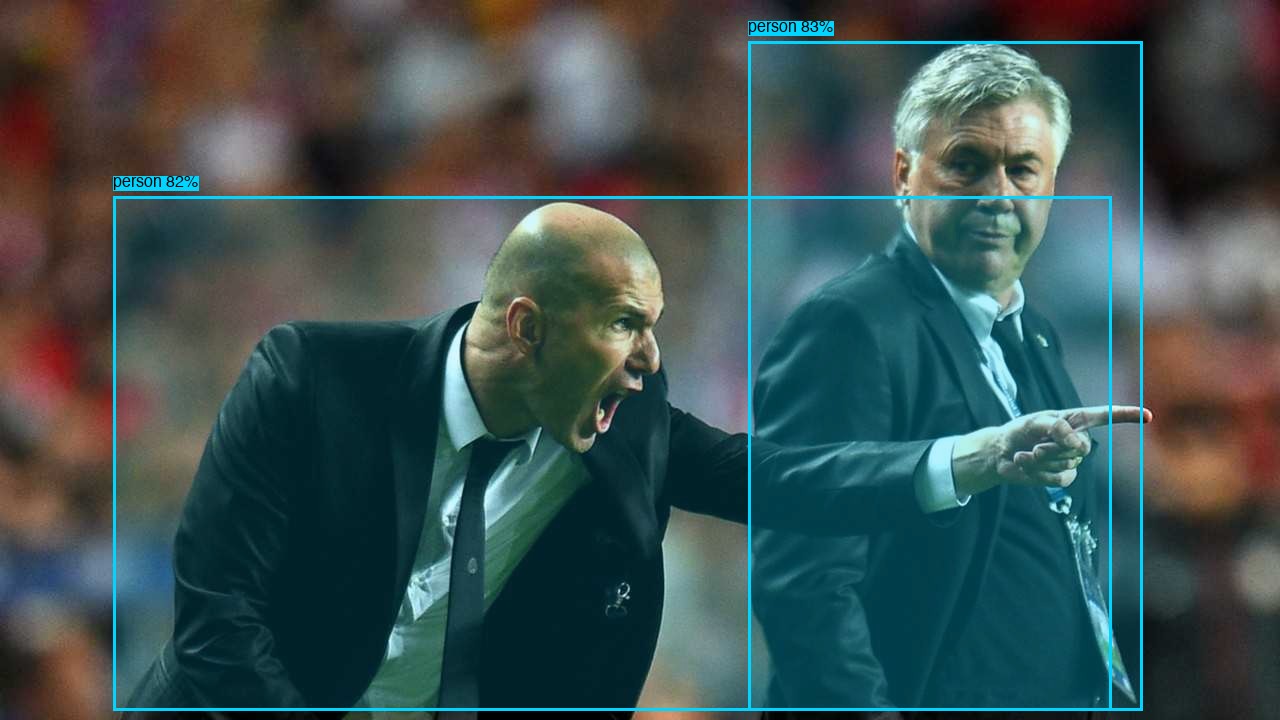
Sports scene
detected_zidane.jpg
Stock YOLOv8n (7 det)
person 82.7% person 82.1% person 76.3%
v6.2.0 E8.2
39-class domain model
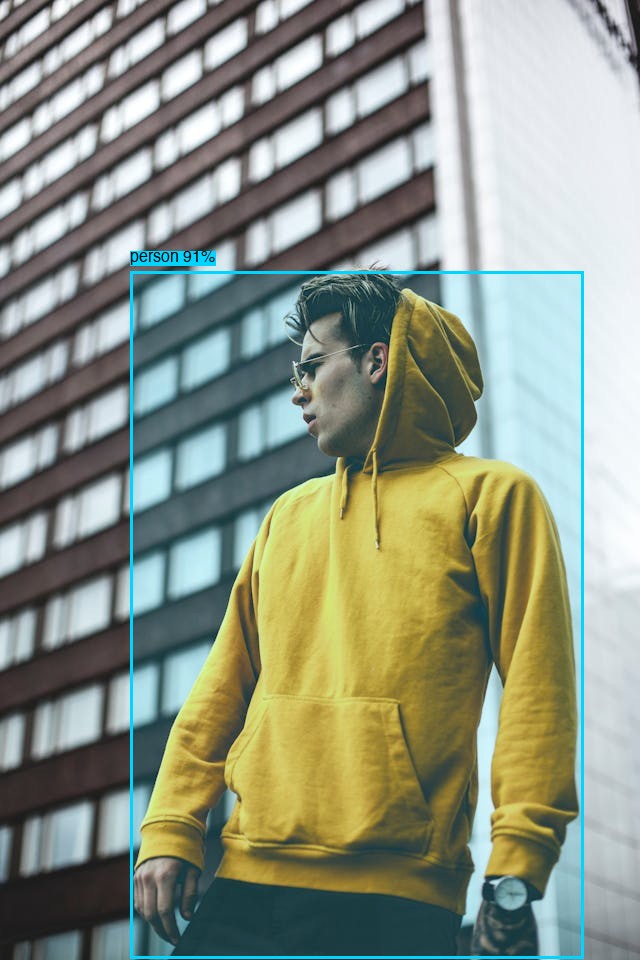
Backpacker scene
detected_backpacker.jpg
Stock YOLOv8n (1 det)
person 85.2%
v6.2.0 E8.2
39-class domain model Footwear 5.3%
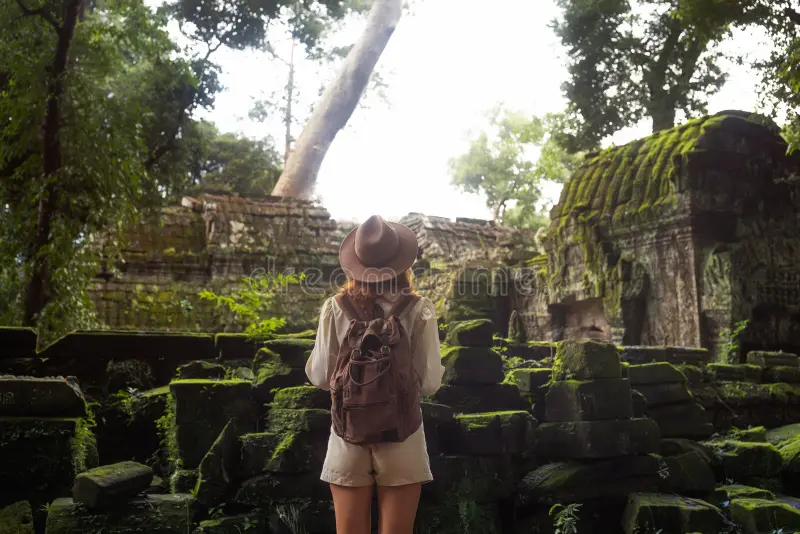
Angkor ruins explorer
angkor-ruins.webp CLOTHING DETECTED
Stock YOLOv8n (8 det)
person 85.5% backpack 45.5% car 9.7%
v6.2.0 E8.2
Person 9.9% Clothing 8.6%
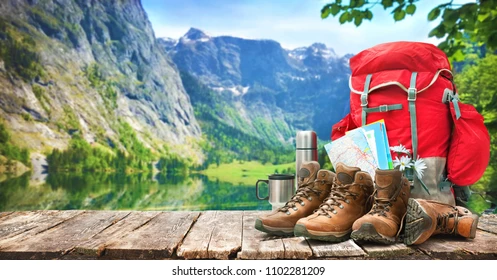
Lake trekking
lake-trekking.webp landscape
Stock YOLOv8n (8 det)
cat 35.4% cat 21.9% person 14.6%
v6.2.0 E8.2
No products @ 5%
Temple explorer
temple-explorer.webp
Stock YOLOv8n (3 det)
person 28.6% handbag 16.6%
v6.2.0 E8.2
No products @ 5%
Ocean balcony view
ocean-balcony.webp no people
Stock YOLOv8n (13 det)
bench 75.2% chair 44% chair 26%
v6.2.0 E8.2
No products
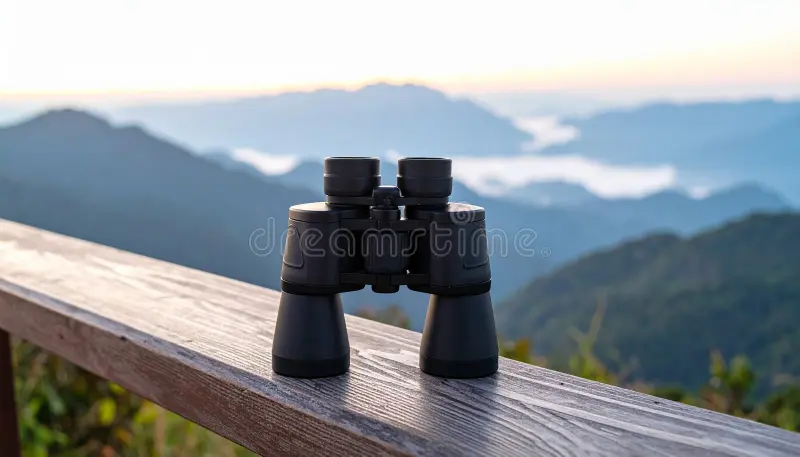
Binoculars mountain view
binoculars-mountain.webp no people
Stock YOLOv8n (2 det)
fire hydrant 81.6% bench 6.5%
v6.2.0 E8.2
No products
Beach accessories
beach-accessories.webp no people
Stock YOLOv8n (3 det)
bird 11.1% handbag 10.5%
v6.2.0 E8.2
Hat/Sunglasses <5%
Beach scene
beach-scene.webp no people
Stock YOLOv8n (6 det)
bench 27.3% bench 23.7% cup 12.6%
v6.2.0 E8.2
No products
# Model comparison test (conf=0.05):
artifactiq analyze --input ./images/ --model yolov8n # Stock COCO model
artifactiq analyze --input ./images/ --model artifactiq:v6.2.0 # Domain-specific model

() is the default model with . Domain-specific 39-class detection for fashion/merchandise. Training report →